Password
The Password section is the main container for the main-password template, used when your store is in password-protected mode (e.g., during pre-launch). It controls the appearance of the login form and branding elements.
Settings
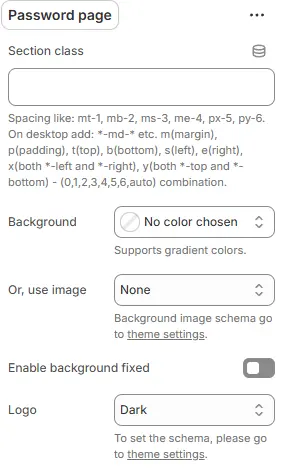
- Section class: Custom CSS class for the entire password page section.
- Background: Set a solid or gradient background color.
- Or, use image: Apply a background image using a preset from Theme Settings → Style scheme settings → Background Image Schema.
- Enable background fixed: Fixes background image during scroll (parallax effect).
All settings above follow: Blocks → Overview → General Settings
- Logo: Choose what appears at the top of the password page:
- Dark: Display your primary (dark) logo
- Light: Display your alternate (light) logo—ideal for dark backgrounds
- Store name: Show your store name as text (uses font from Theme Settings → Typography)
- Hide: Display nothing (minimalist look)
Form Card
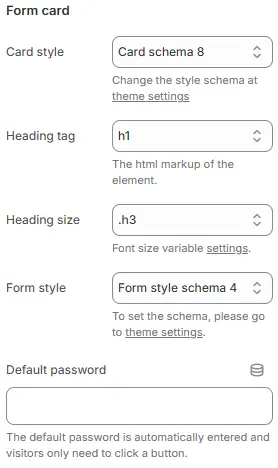
- Card style: Visual preset for the password form container from Theme Settings → Style scheme settings → Cards Style Schema.
- Heading tag: HTML tag for the form title (
<h1>–<h6>or<div>). - Heading size: Font size from Theme Settings → Basic Settings → Typography.
- Form style: Styling for the password field from Theme Settings → Style scheme settings → Form Style Schema.
- Default password: Pre-fill the password field for internal testing (not recommended for live stores).
Button Style

- Style:
button(solid) oroutline(hollow) - Color schema: Button color from Theme Settings → Basic Settings → Colors
- Size:
Small,Default, orLarge